Birdie Is Not Updating Properly
There is a known Chrome issue where Chrome can sometimes fail to update browser extensions properly. When this happens, the entire Birdie extension will be unresponsive.
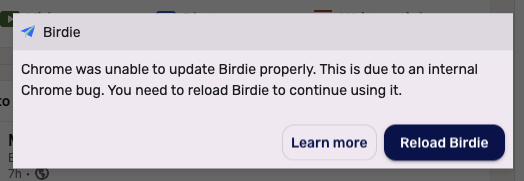
When Birdie detects that this is happening, Birdie will display a popup to Reload Birdie . Click on the button to reload Birdie. If you opened this page by clicking on Learn more , go back to the LinkedIn tab you came from and refresh the page to get this popup to show again.
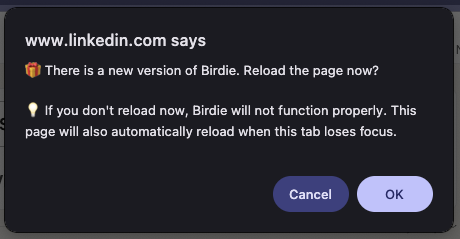
Once Birdie reloads successfully, you will see a prompt asking you update Birdie. Click OK to reload the browser page.
If this does not fix your issue, you will need to manually reload Birdie. To do so, open Chrome's extension manager. You can visit chrome://extensions in the browser to access the extension manager.
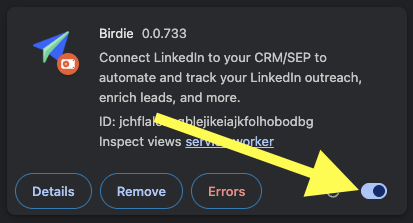
Find Birdie in your list of extensions. Disable and reenable the Birdie extension by flipping the switch off and on.
Afterwards, you will need to reload any browser tab with LinkedIn in order to reload the Birdie extension.