How to view HubSpot contacts in a Birdie sequence
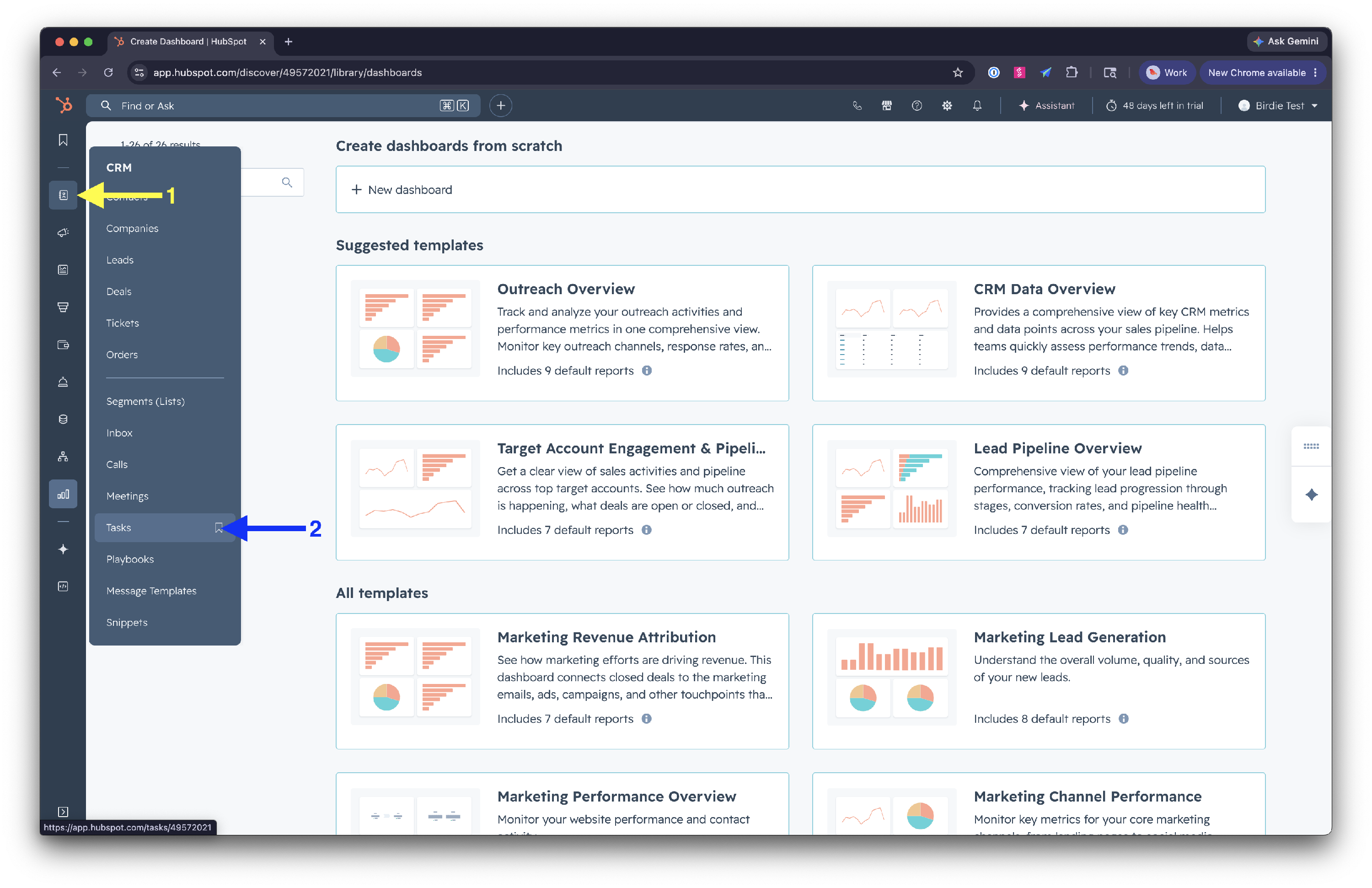
In HubSpot, open the Tasks view.
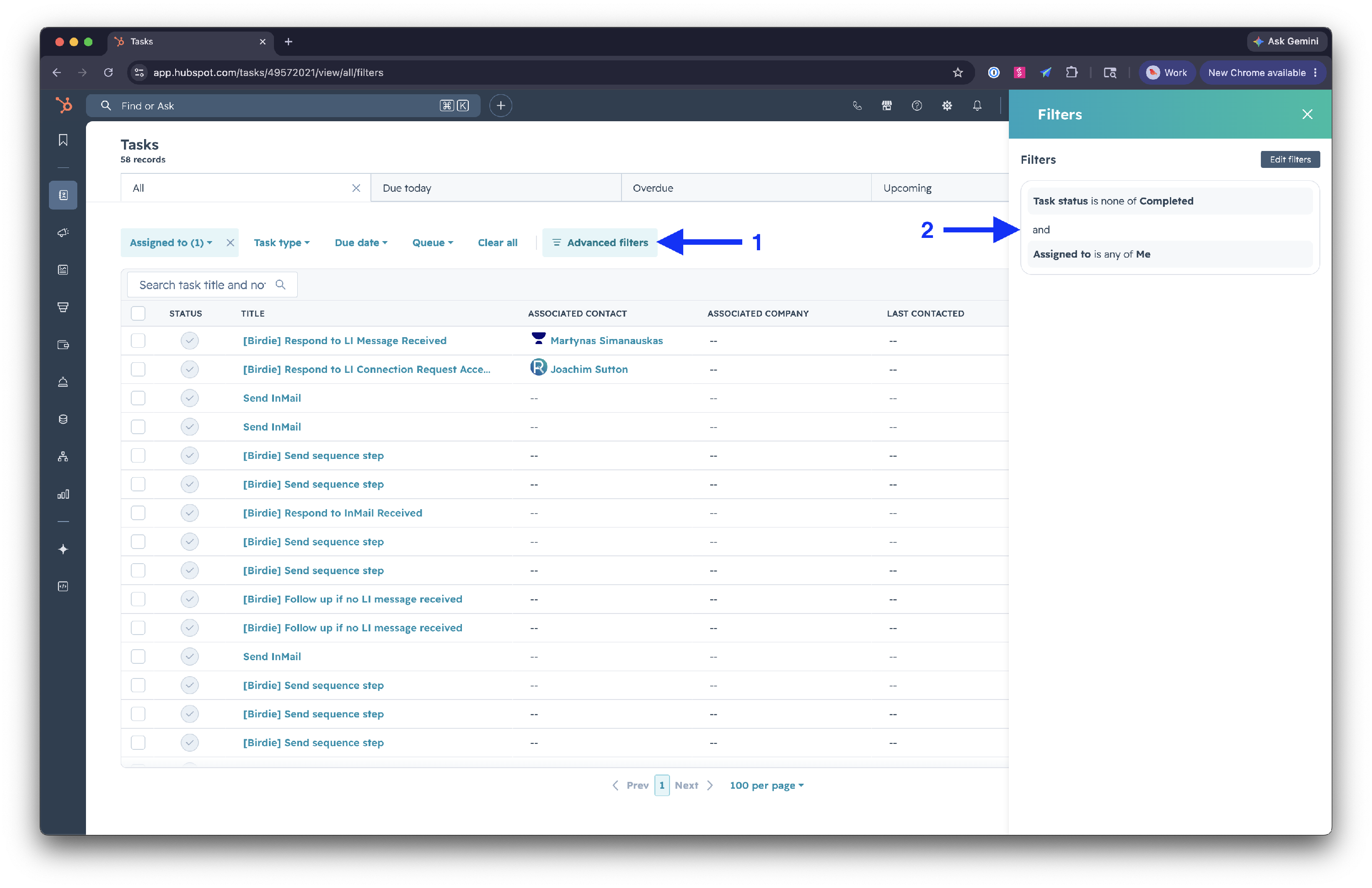
By default, the Tasks table should be showing uncompleted tasks that are assigned to you. You can verify this by clicking on Advanced filters.
Search for [Birdie] Send sequence step.
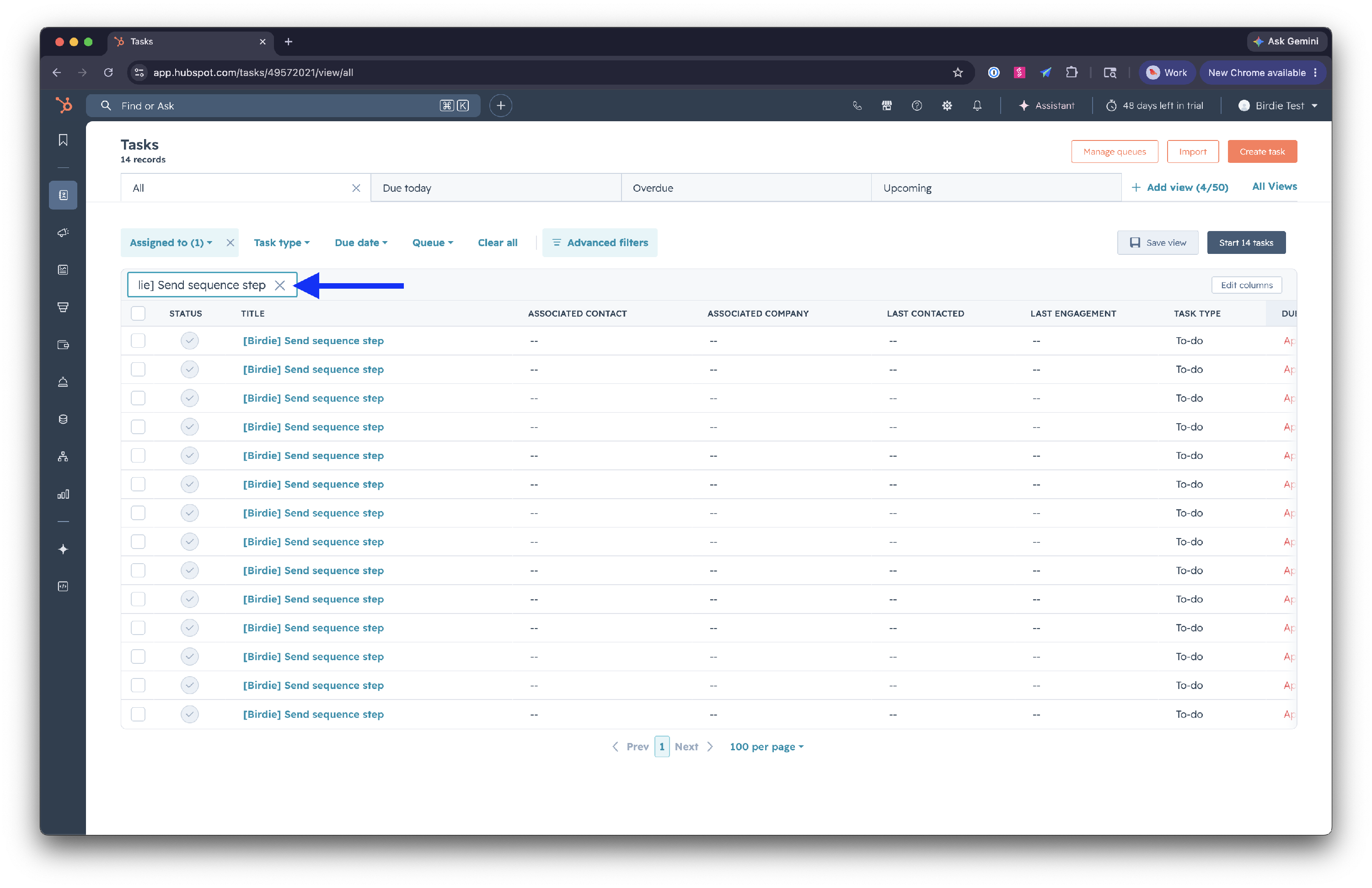
To remove someone from a sequence, delete the task.