Verifying your ICP Definition
You can use Birdie's ICP to determine whether or not to reach out to someone e.g. in a Birdie Campaign. Before doing so, you should ensure that your ICP definition is accurate.
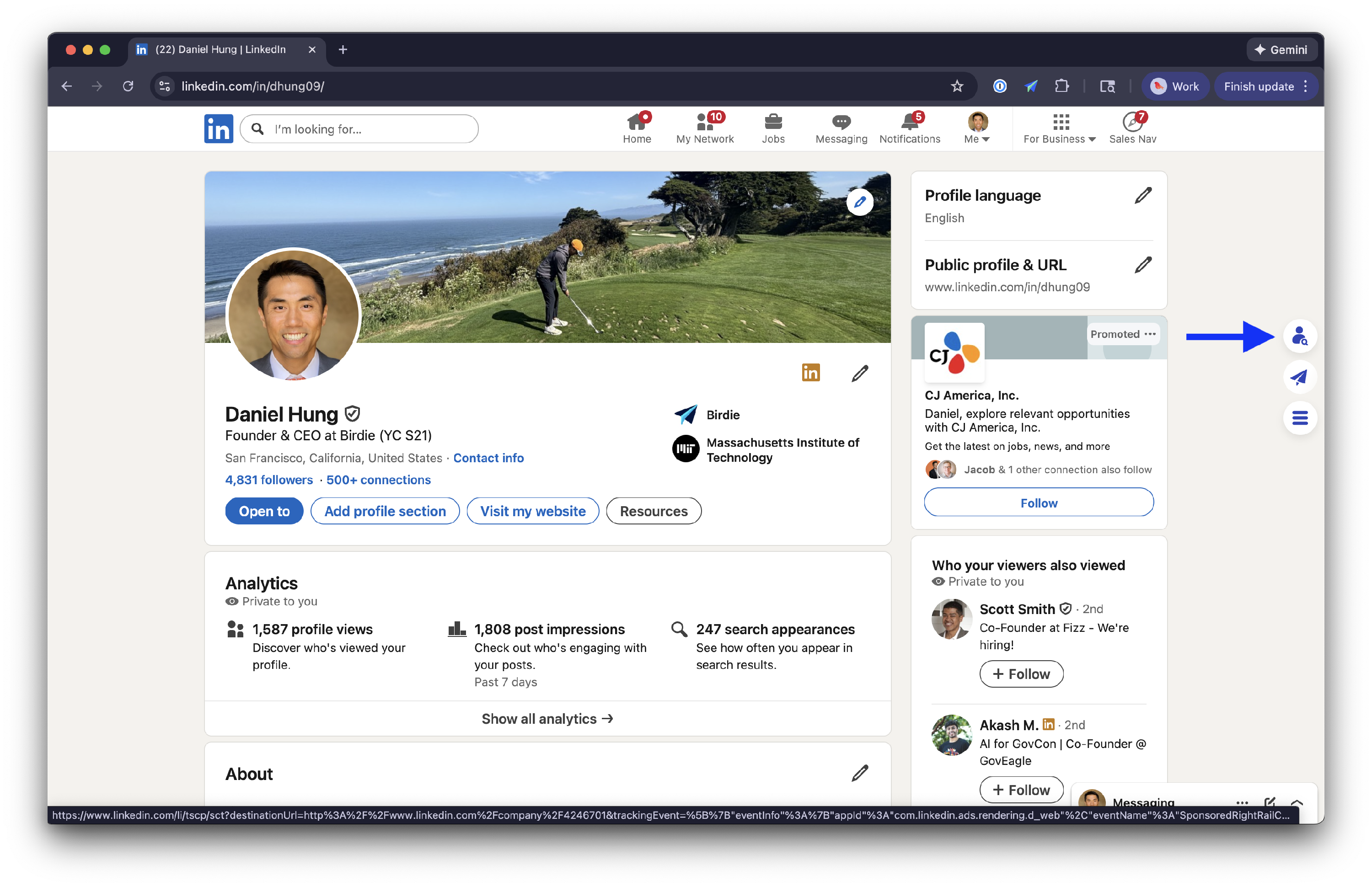
The easiest way to do this is to put together a list 5–10 people who you know fit your ICP. For each person in the list, open their LinkedIn profile. Click on the people search icon on the right hand side
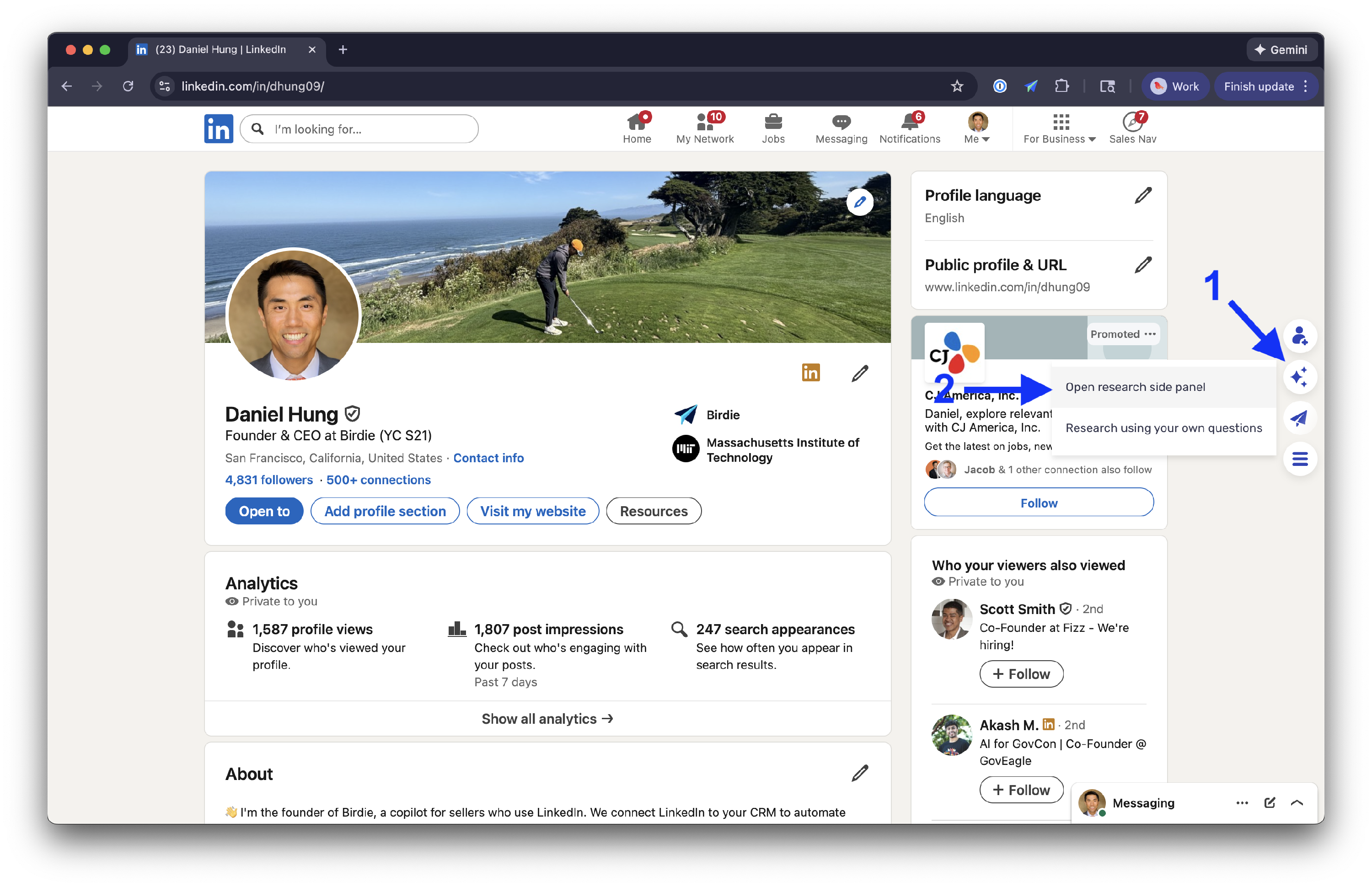
Then, click on the AI icon and then Open Research Side Panel .
Birdie's AI Side Panel will display and Birdie will start researching the person. Once done, Birdie will indicate whether or not the person fits your ICP. It will also show its reasoning as to why or why not.
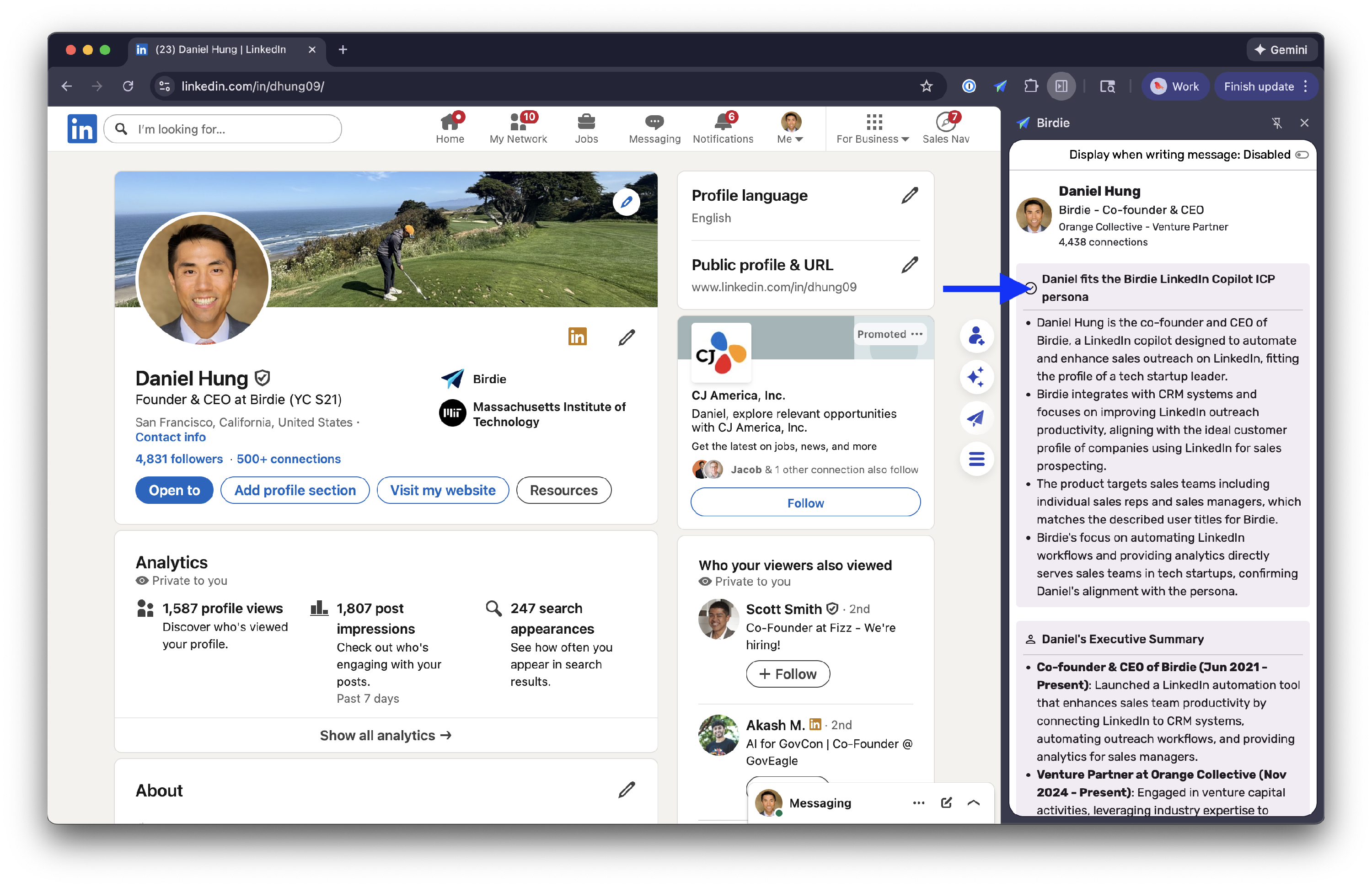
You can use this information to refine your ICP definition. For example, if Birdie thinks someone doesn't fit your ICP even though you know they do, you can use Birdie's stated reasoning to change your ICP definition so that the person does fit.
If you want your ICP to be even more accurate, you can repeat the process above but with a list of people who you know doesn't fit your ICP. If Birdie thinks someone from this list fits your ICP, you can edit your ICP so that they don't fit.